February may be the shortest month of the year, but we’ve been busy behind the scenes. While you’ve been out in the field closing deals, we’ve been fine-tuning Donna to make every interaction sharper. Here’s what’s new 
 User
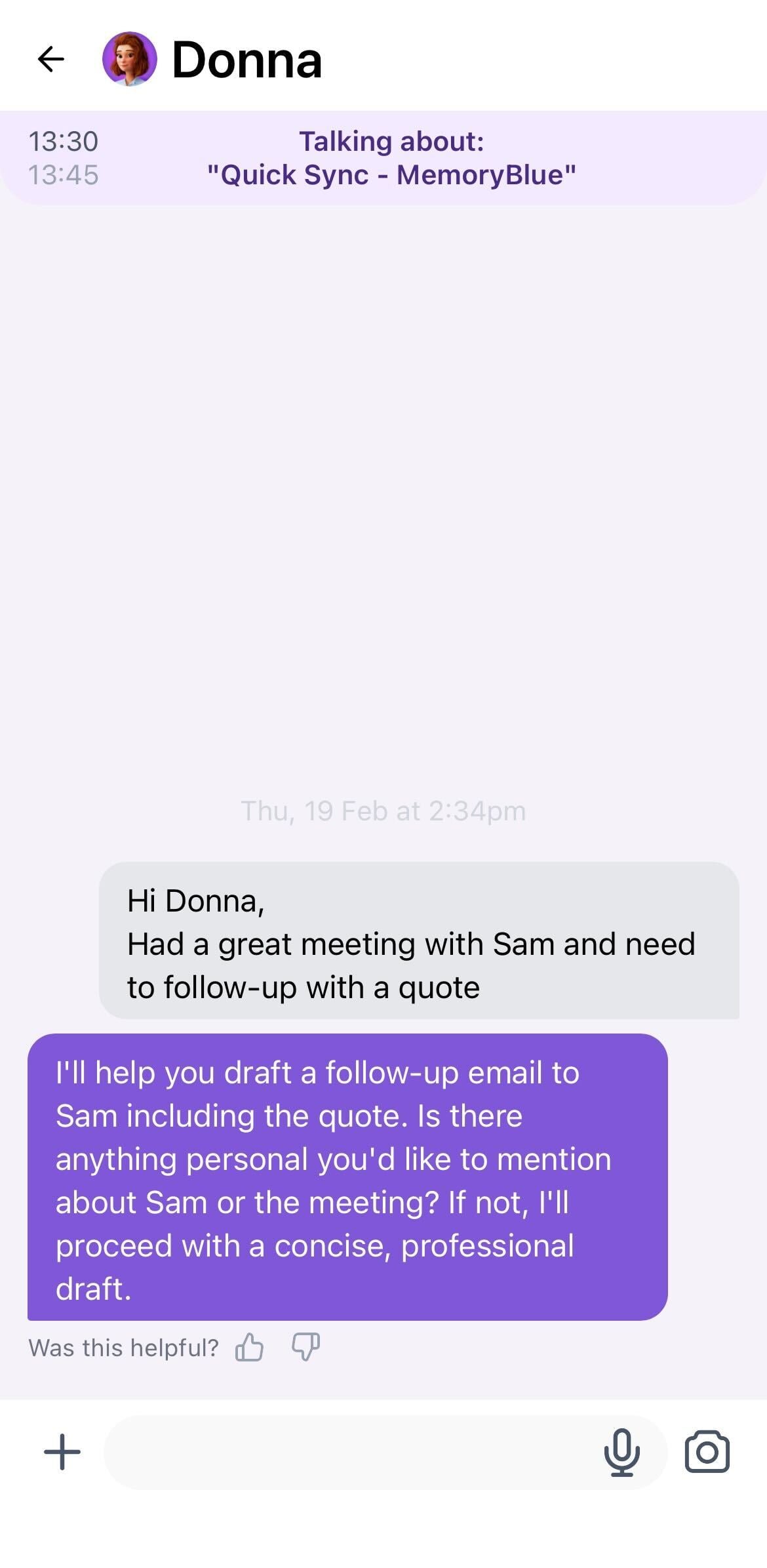
UserToday, Donna keeps all interactions inside a single global conversation. While this works for spontaneous questions, it becomes limiting when users juggle multiple meetings, follow-ups, or workflows at the same time. Now we’ll create a separate chat per event in your calendar so Donna knows exactly what you’re talking about at any given point!
Would you like to have this activated? Contact your Customer Success Manager!
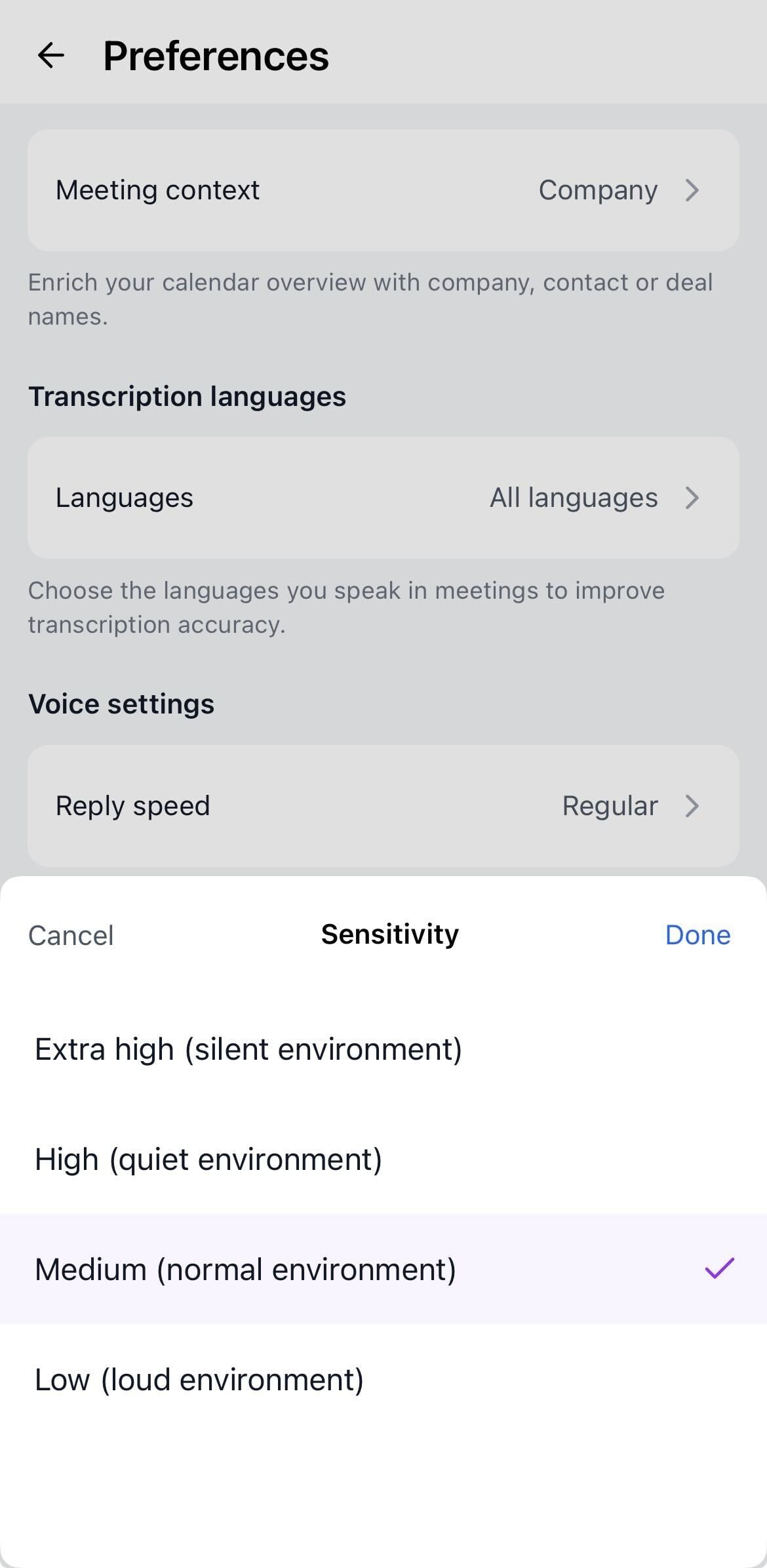
In your Personalization Preferences in web & mobile app, you can now find extra voice settings. These extra settings give you more control over how Donna detects your voice. High sensitivity detects softer speech and reduces missed inputs during conversations while low sensitivity is better suited for louder environments like car rides etc.
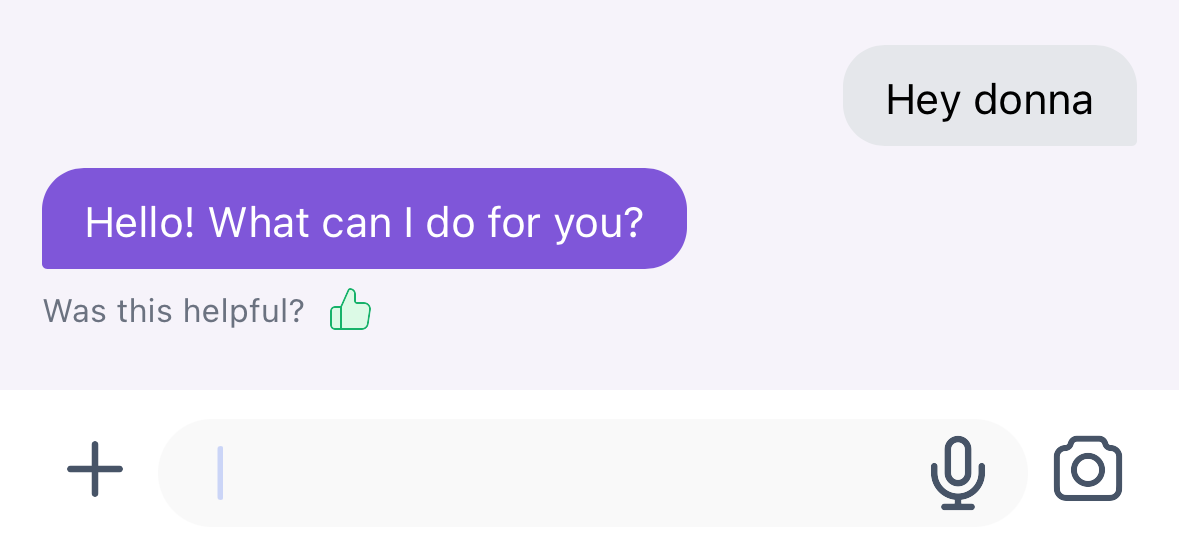
We’ve added a new way for users to share feedback directly in the mobile app. Feedback options are now shown after every message sent by Donna. This makes it easy to share quick feedback when it matters most. Your input helps us prioritize improvements and shape future updates.
Donna now generates pre-meeting briefings 48 hours in advance and keeps them continuously refreshed until the meeting starts. This means that you can have her notify you about new meetings up to 2 days in advance.
Would you like to have this activated? Contact your Customer Success Manager!
 Admin
AdminDarkmode is now officially supported in the web app. Enjoy a more comfortable viewing experience in low-light environments, with colors optimized for readability and contrast. Go to your Profile Preferences to change the appearance!

As an admin, you can now manage your users workflows directly in the web app by navigating to the Flows page. There, they can view all active flows, explore the detailed configuration of each flow, and assign them to specific teams or individual users.
As organizations grow, not every workflow/feature should be available to everyone. Teams often work in different contexts, follow different processes, or require tailored experiences. That’s why we’ve introduced Team management in our web app. You can now create new teams and assign these to specific workflows by navigating to People > Teams in the web app.
That’s it for this month! Stay tuned for many more exciting updates next month, including editable cards for users, improved user experience and much more! 
In case of questions, feel free to reach out to support@askdonna.com.
Stay tuned for what’s next!