Updating to the latest version of Donna ensures you always have access to the newest features, improvements, and fixes.
If automatic updates are enabled on your iPhone, Donna will update automatically.
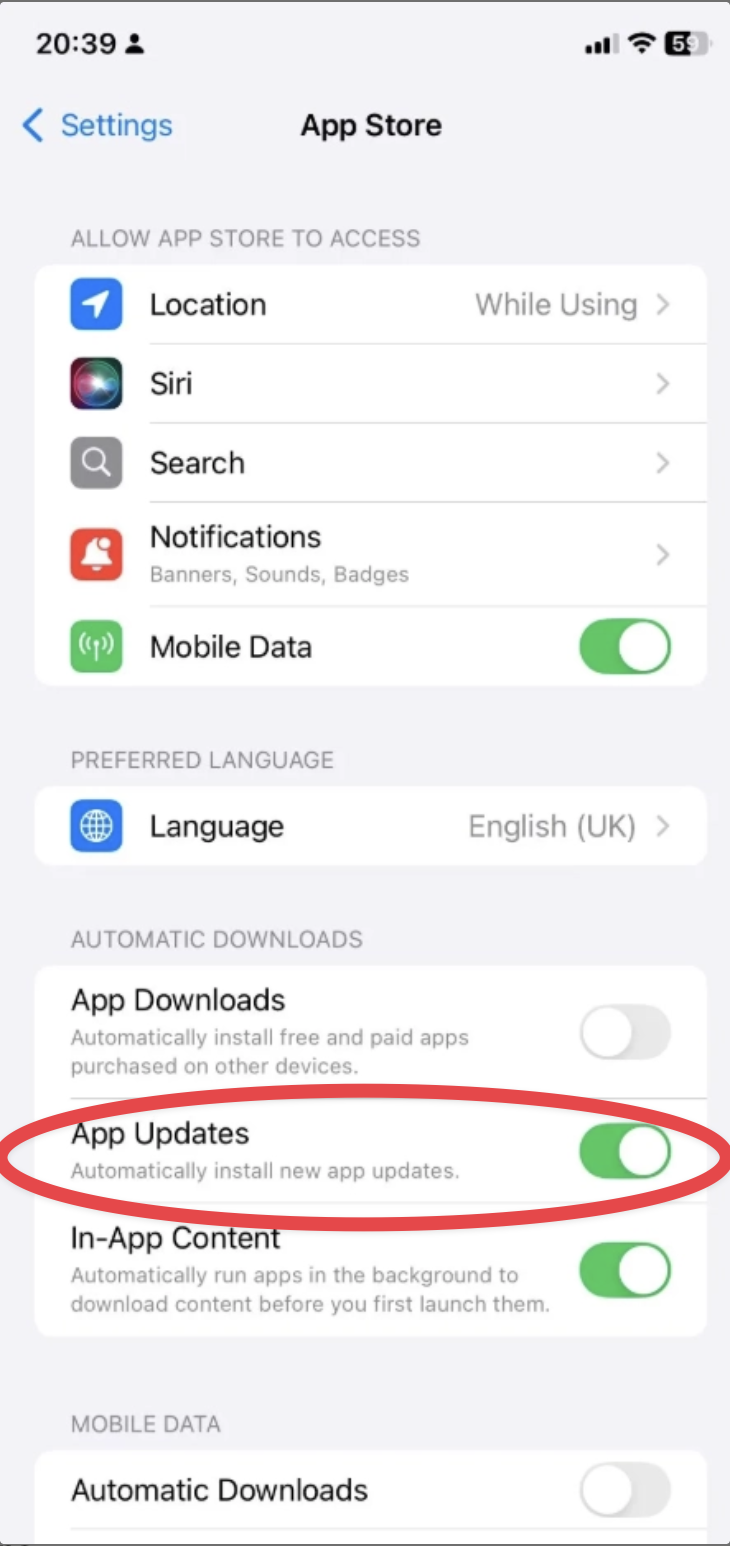
Open Settings
Go to App Store
Make sure App Updates is toggled on
If automatic updates are not enabled:
Open the App Store
Search for Ask Donna
Tap Update if a new version is available
If the button says Open, you’re already using the latest version
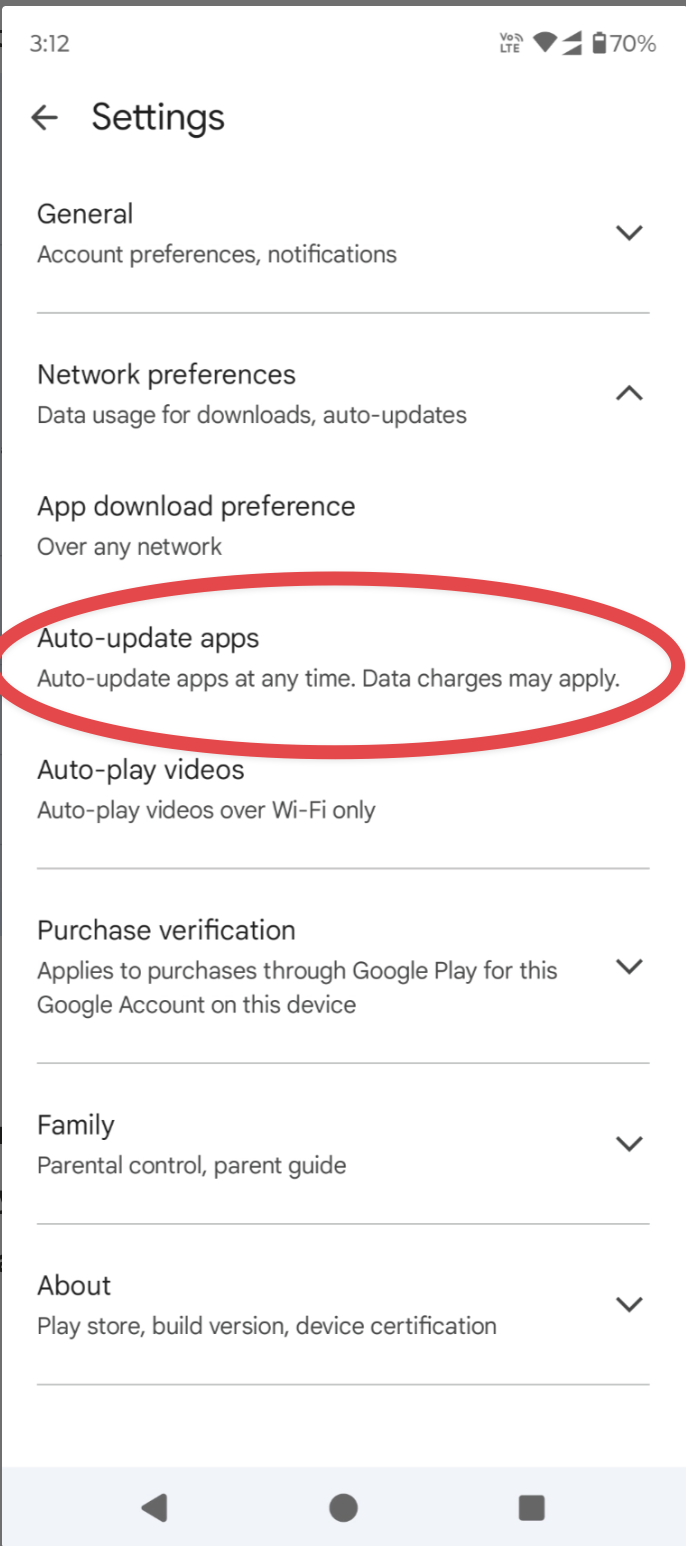
Open the Google Play Store
Tap the menu icon next to the search bar
Go to Settings
Select Auto-update apps
Choose Over any network
If automatic updates are not enabled:
Open the Google Play Store
Search for Ask Donna
Tap Update if available
If the button says Open, you’re already using the latest version