You can easily chat with Donna in the way that suits you best - use the general chat for spontaneous interactions, or switch to meeting-specific chats for more focused and context aware conversations.
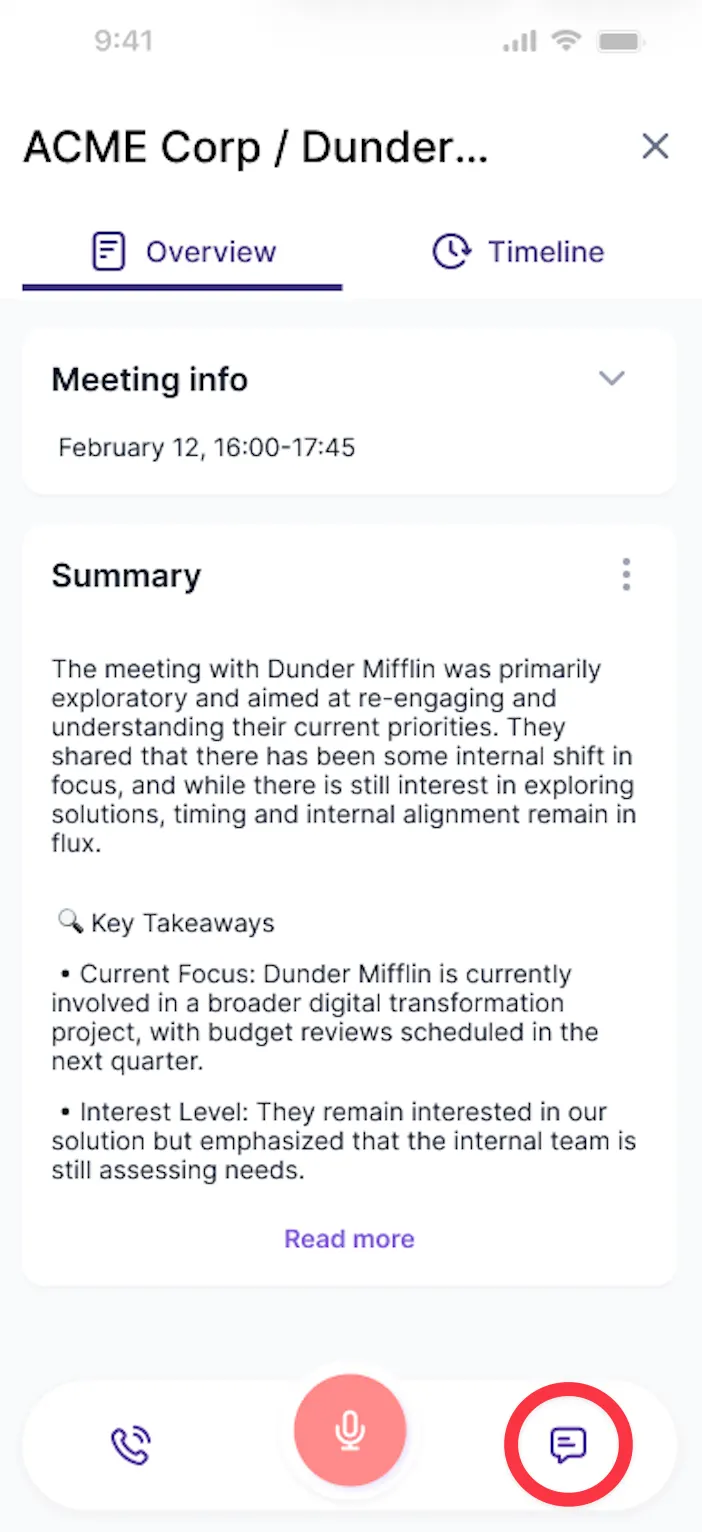
Each event gets its own dedicated conversation, containing only the context related to that specific meeting, so Donna immediately understands the correct context.
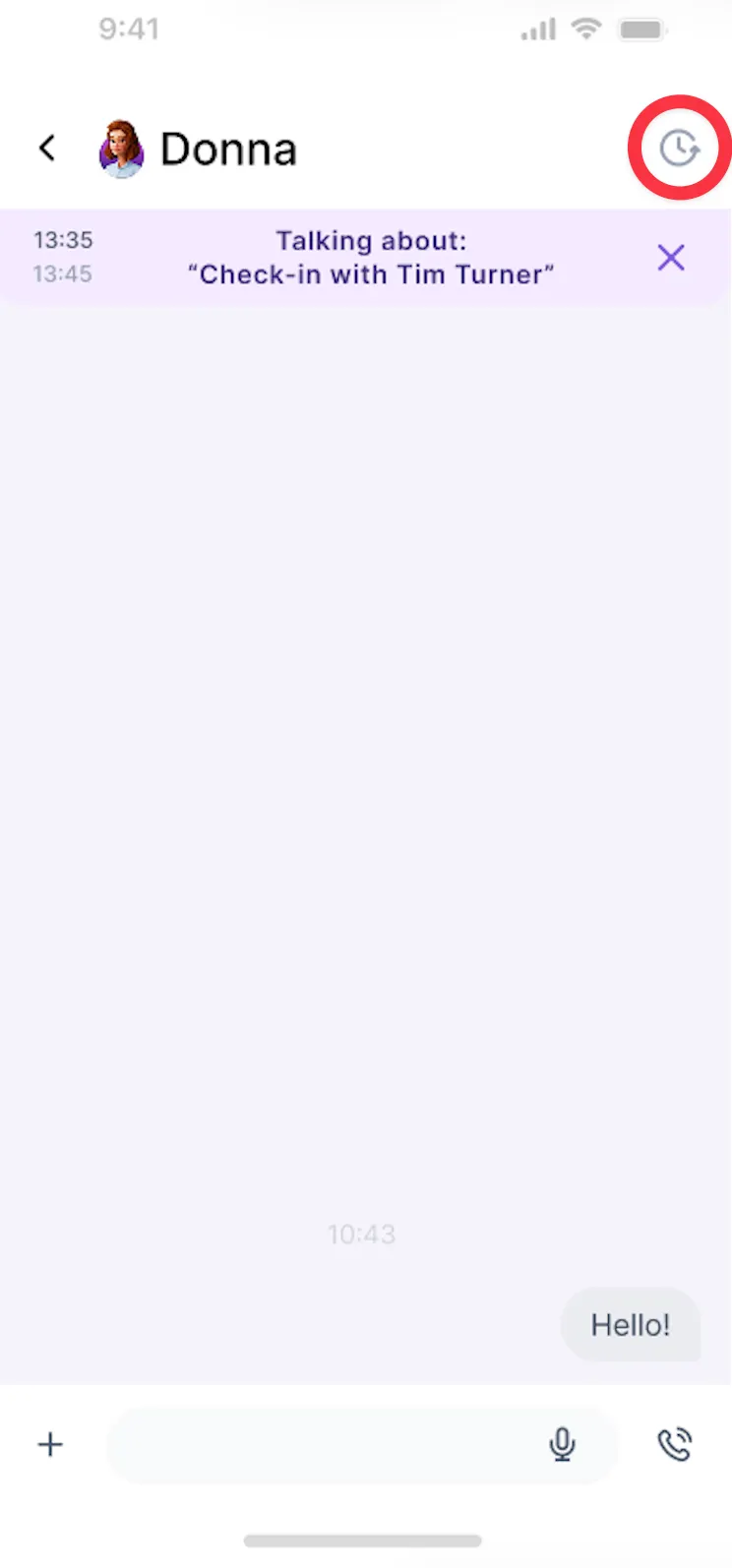
You can easily chat with Donna or leave voice notes across multiple conversations, without them interfering with one another.
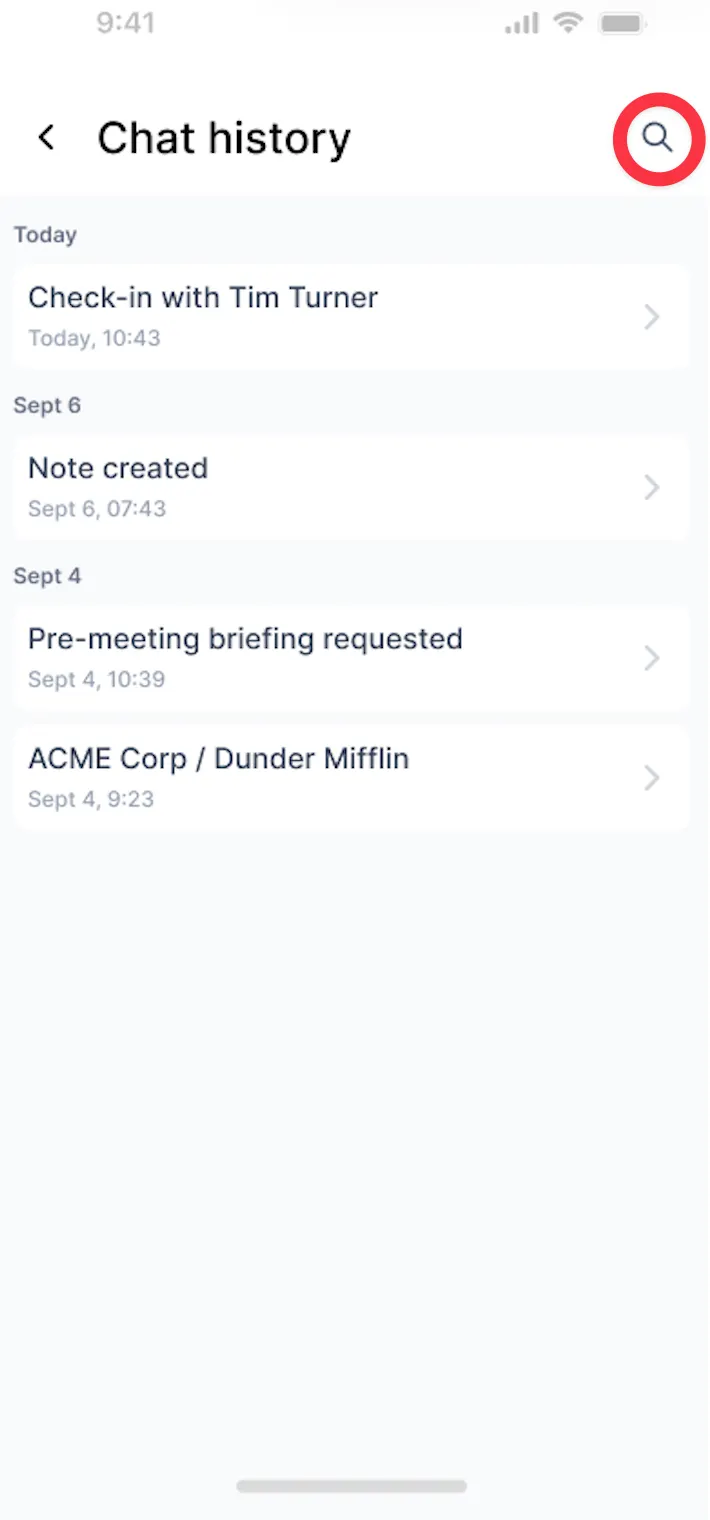
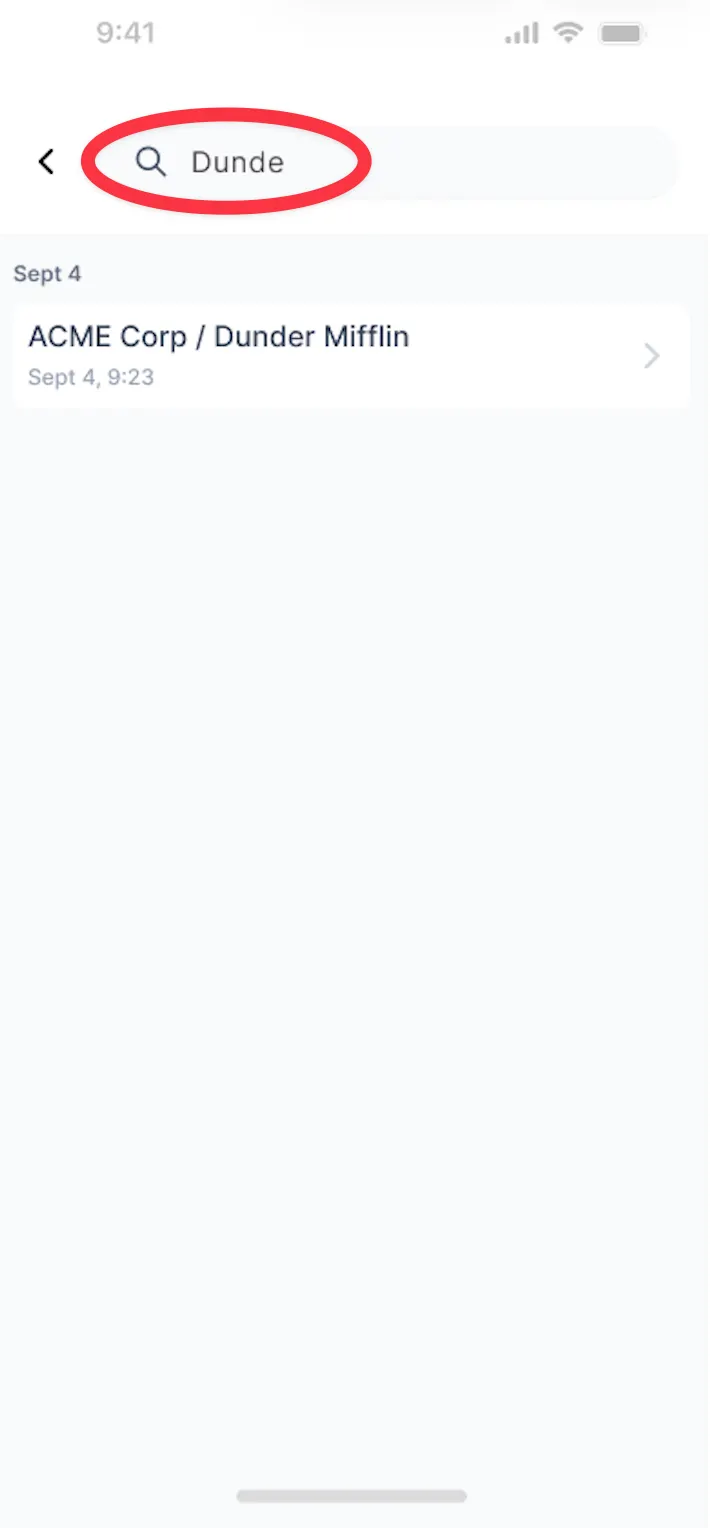
A conversation history overview lets you easily switch between previous conversations.
You can find an overview of all your chats - both spontaneous and event-specific in your global chat available from your agenda view.
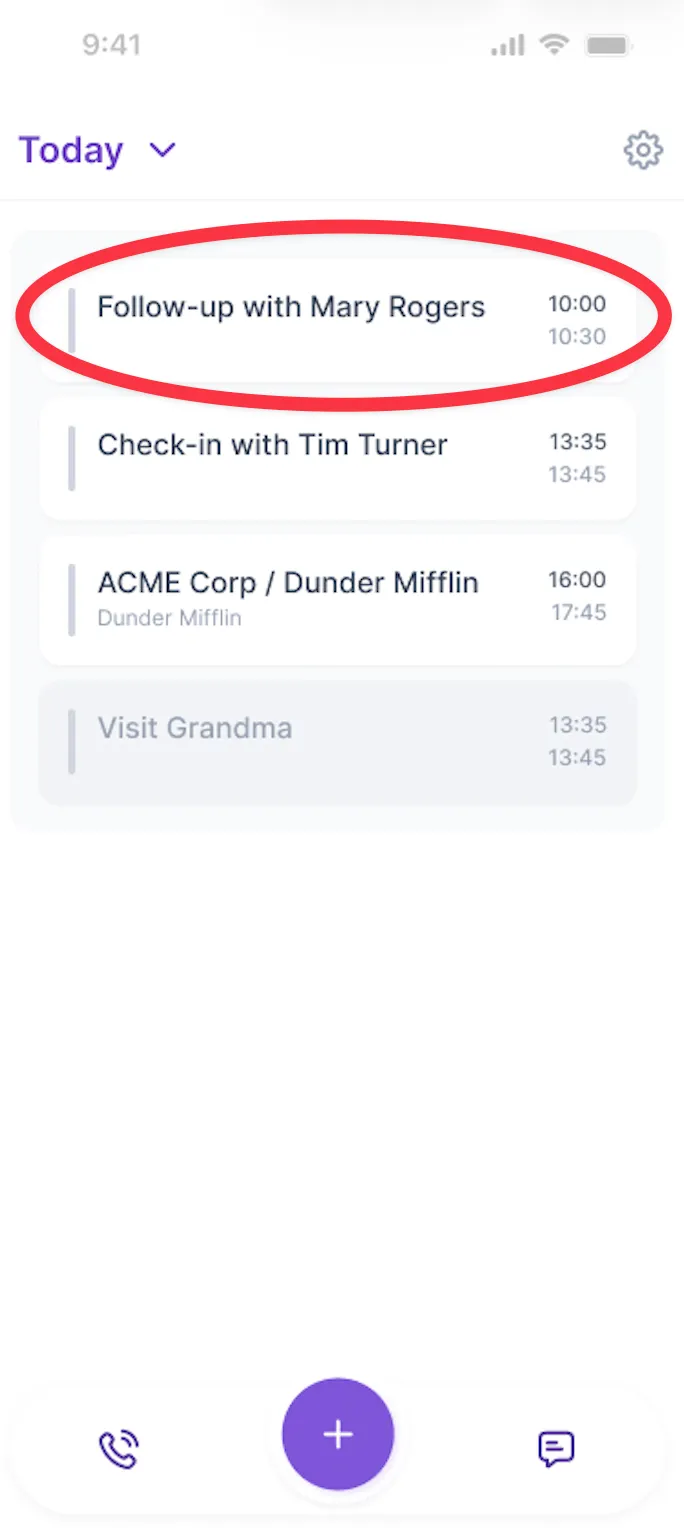
Step 1: From your agenda overview in your mobile app, tap on a specific meeting you would like to interact with Donna
Step 2: Tap on a message icon and type your question. You can also record a voice note if that’s easier!
Step 3: After finishing your chat, simply navigate back to your agenda overview.
Step 4: You can find the overview of all your chats - spontaneous ones and event-specific in your global chat available from your agenda view.
Step 5: From the chat view, tap the clock icon to open a simple chat history overview. Tap the magnifying glass icon to quickly browse through all your conversations.