
Donna's voice settings let you tailor how she sounds and how she handles conversation rhythm when you're on a call with her. You'll find them in the mobile app under Settings > Preferences > Voice settings.
These settings only affect voice interactions (calls with Donna). They don't change anything about chat, email, or the written briefings and summaries Donna sends you.
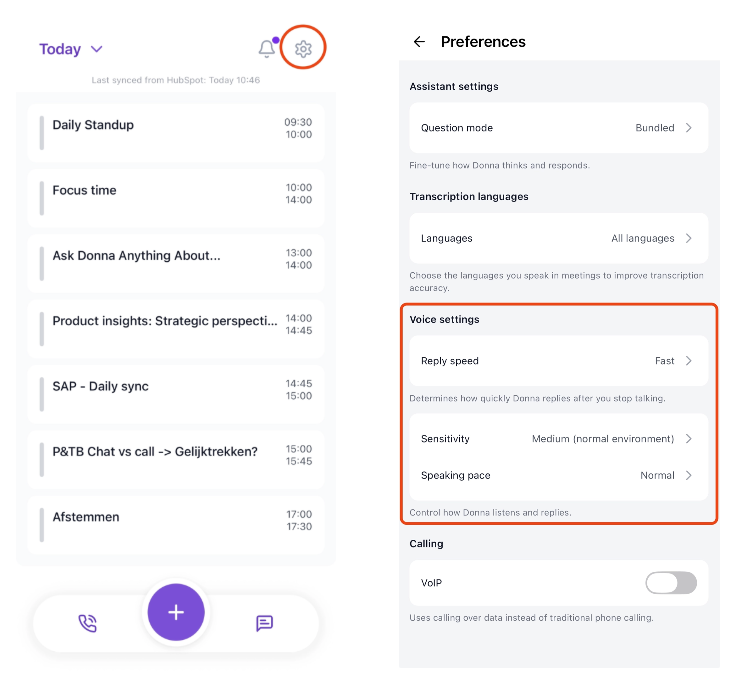
Reply speed determines how quickly Donna replies after you stop talking.
Some people prefer a snappy, fast-paced conversation. Others like a bit of breathing room to finish a thought before Donna jumps in. Reply speed lets you pick the rhythm that feels most natural to you.
You can choose between:
Fast – Donna replies almost immediately after you stop speaking. Great for quick back-and-forth exchanges when you know exactly what you want to say.
Regular – A natural conversational pace.
Slow – Donna waits a bit longer before replying, giving you more room to finish your sentence or add something on.
Very slow – Donna takes her time before responding. Ideal if you often pause mid-sentence to think.
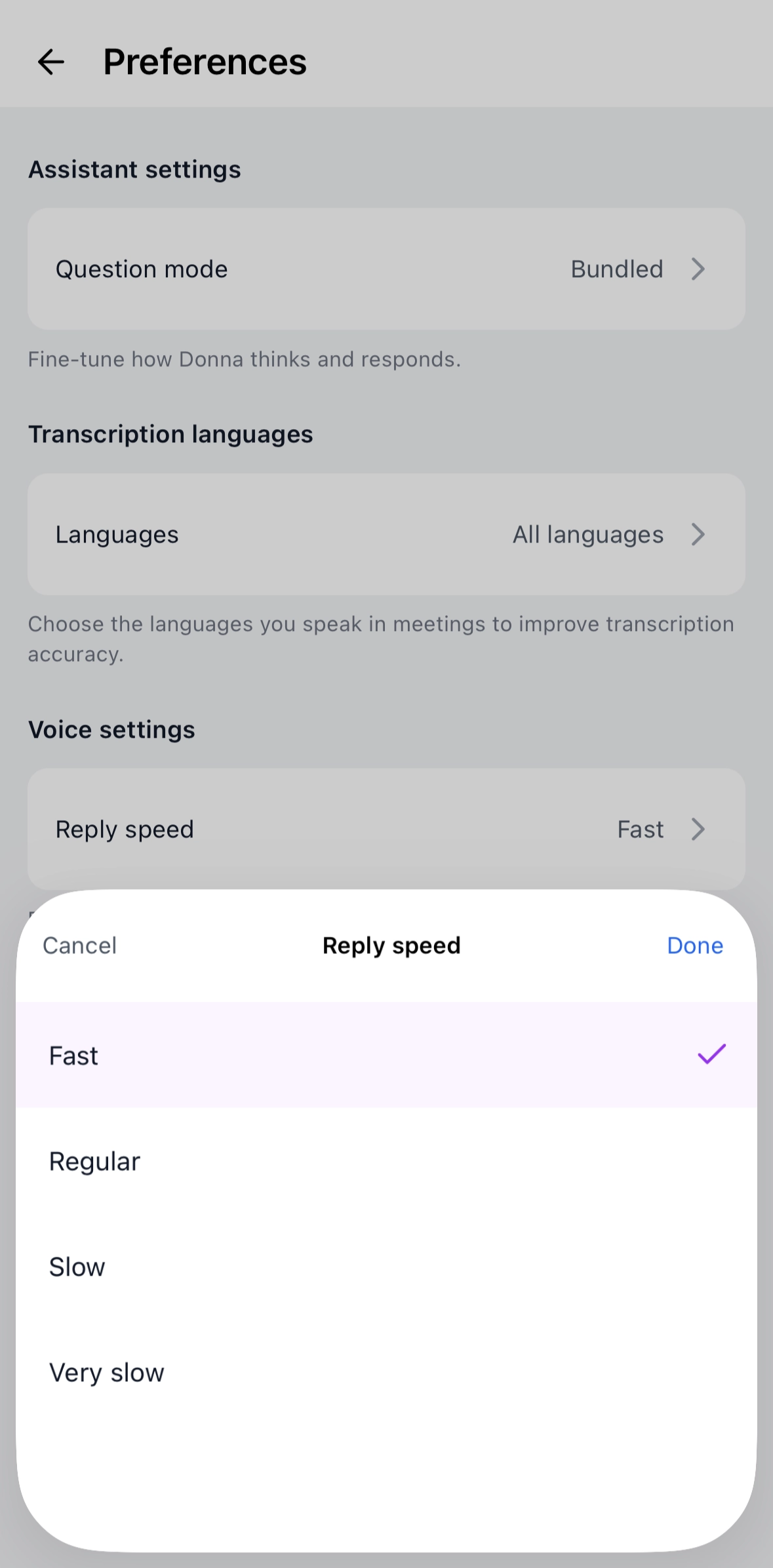

Sensitivity controls how easily Donna picks up your voice based on the noise around you. The right setting depends on where you typically use Donna.
Extra high (silent environment) – Donna is highly responsive to soft speech. Best for quiet rooms with no background noise.
High (quiet environment) – Donna catches your voice easily in calm, low-noise settings.
Medium (normal environment) – The default. Suited for everyday environments like an office, your home, or a quiet café.
Low (loud environment) – Donna becomes more selective, so background noise (traffic, other conversations, music) is less likely to interfere with your call.
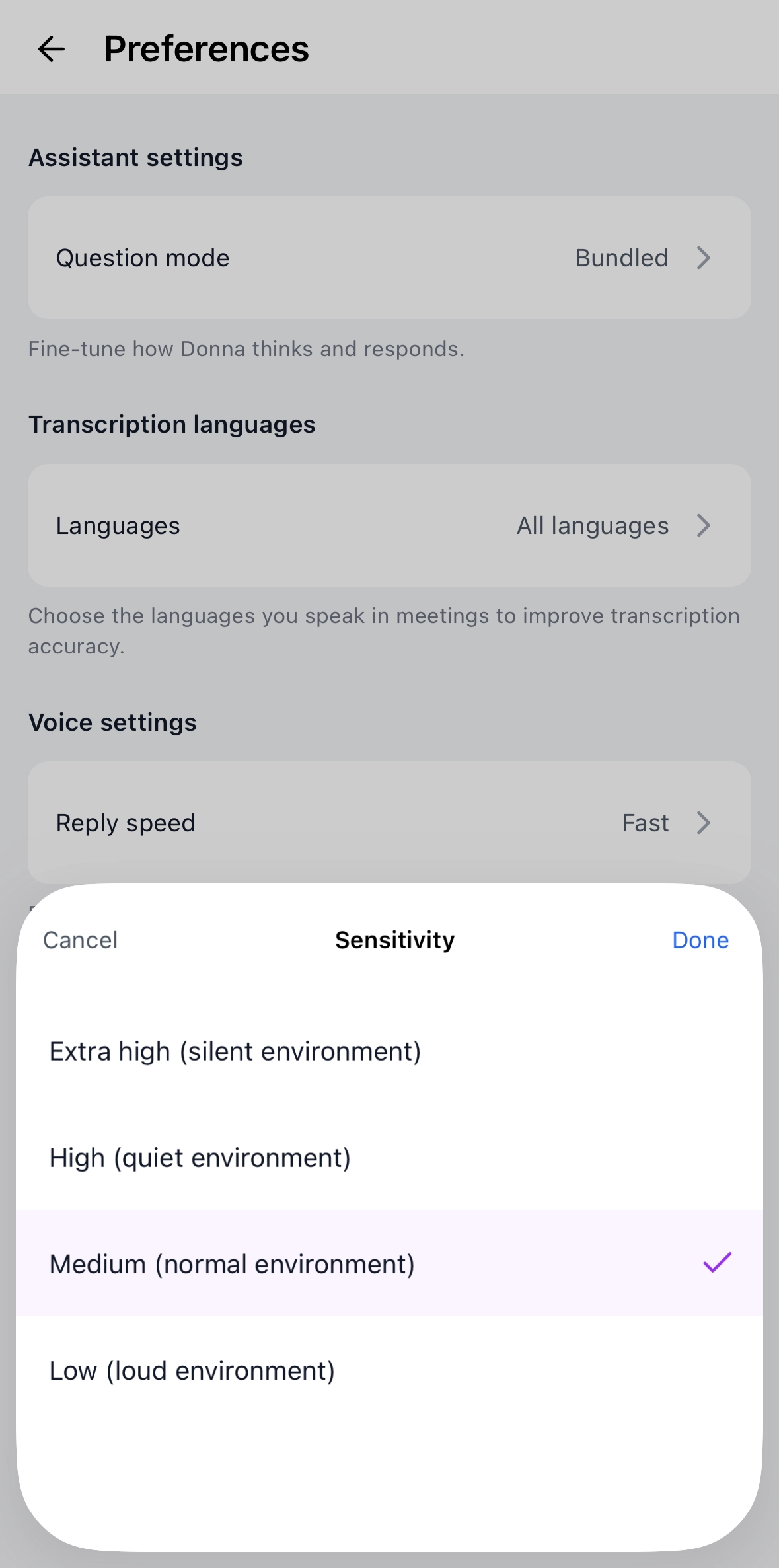

Speaking pace controls how quickly Donna speaks during your calls. Pick whatever feels most comfortable to follow.
Faster – Donna speaks more briskly. Useful when you want to get through information quickly, for example during pre-meeting briefings.
Normal – A natural, easy-to-follow pace.
Slower – Donna takes her time. Helpful when you're listening hands-free, multitasking, or simply prefer a calmer delivery.
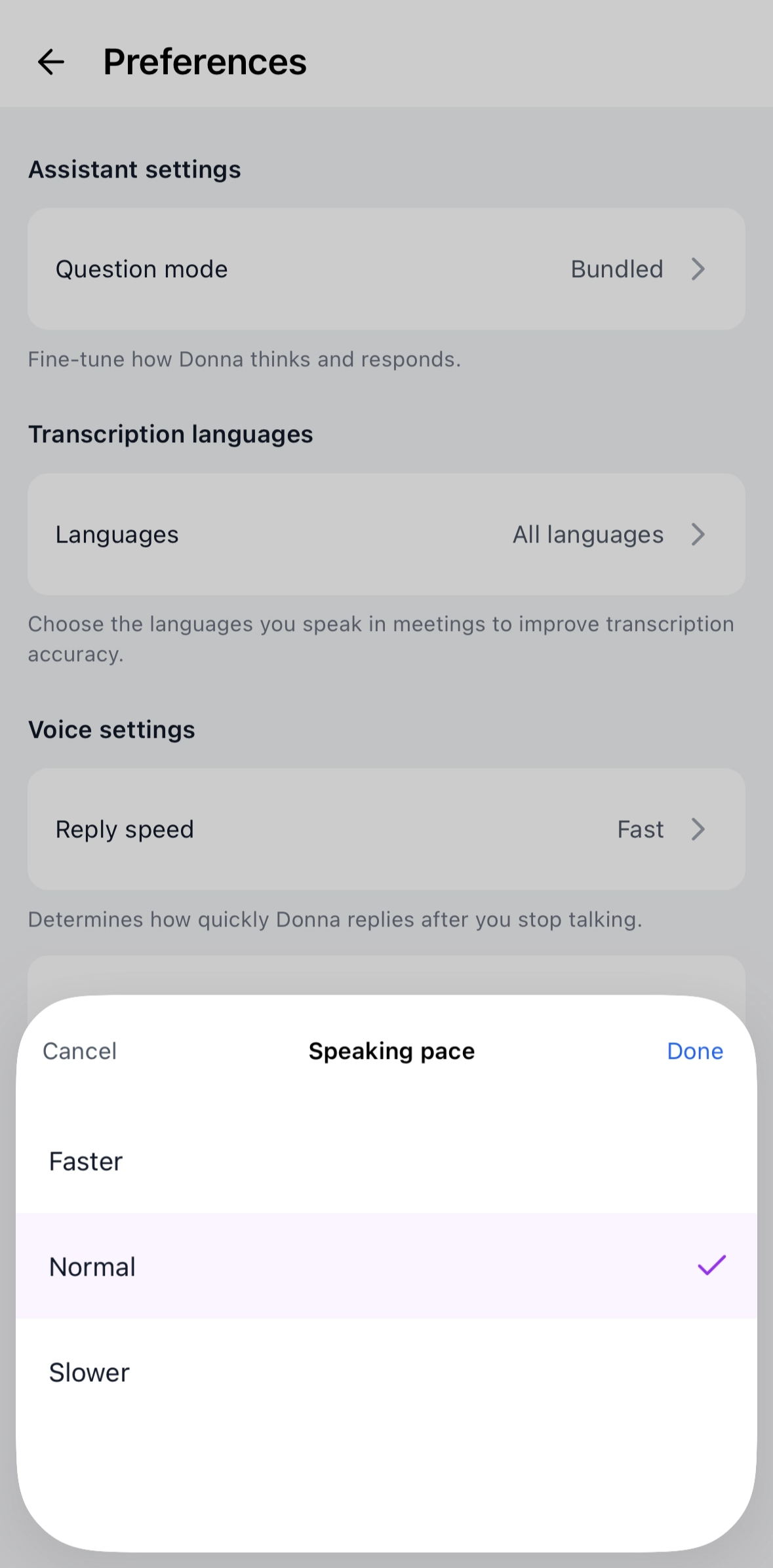
Open the Donna mobile app.
Tap the gear icon on your overview screen to open Settings.
Go to Preferences.
Under Voice settings, tap Reply speed, Sensitivity, or Speaking pace.
Select your option and tap Done.
Your new settings are applied on your next call with Donna.